TikTok LIVE gives eligible creators a way to speak with viewers in real time, answer questions, demonstrate products, and promote an offer while the audience is watching. In most regions, creators must be at least 18 and meet a follower threshold commonly set at 1,000, though TikTok’s requirements can vary. Access the feature through the app’s + button or an approved desktop streaming option.
What Is TikTok LIVE?
TikTok LIVE is TikTok’s real-time video feature. Unlike a standard TikTok post, a LIVE broadcast lets a creator and viewers interact while the video is happening. Depending on the features available to the account and region, viewers can comment, send virtual Gifts, and join certain formats such as multi-guest streams. The creator can respond aloud, address comments, show a process, or guide an audience through a topic.
That immediacy is the point. A recorded clip can be edited and watched later, but a live stream creates a shared moment where people can ask a question and hear an answer without waiting for another upload. TikTok says LIVE content can be discovered in places that may include the LIVE area, For You and Following feeds, and search. Placement is not guaranteed; recommendation systems decide what individual viewers see.
The format has practical uses beyond entertainment. A tutor can explain a difficult concept, a craft seller can show how an item is made, and a course creator can host a Q&A before enrollment opens. A business can answer product questions or demonstrate a feature. These are useful applications because the broadcast gives viewers evidence and context—not just another sales claim.
I treat LIVE as a conversation channel, not an automatic growth machine. A broadcast does not guarantee new followers, sales, or Gifts. It can help build trust when the creator is prepared, useful, and honest; it can also waste an hour if nobody knows why they should stay. Frankly, plenty of advice about social platforms confuses access to a feature with a business model. They are not the same thing.
Before streaming, check TikTok’s current guidance on what TikTok LIVE is and how to go LIVE. Features and eligibility can change, so the app’s current instructions matter more than a screenshot from an old tutorial.
Core Benefits of Going LIVE
LIVE can be worthwhile when it serves a clear purpose. It is not worthwhile just because someone online says you need to stream every day. The value comes from the interaction, the subject, and what you do with the audience’s attention.
- Real-time audience research. Viewers tell you what confuses them, what they want to learn, and which concerns keep them from buying. That feedback can shape a course outline, product page, or future videos. Treat comments as clues, not a statistically representative survey; a handful of enthusiastic viewers does not speak for every customer.
- A stronger sense of trust. A live demonstration lets people see your process and hear your reasoning. Answering a fair question plainly can be more persuasive than polishing another promotional clip. Trust is earned through accuracy and follow-through, not a ring light.
- More room to explain. Short videos are useful for discovery, but they leave little time for a detailed tutorial. A LIVE session can cover a sequence of steps, show a product in use, or explain the limits of a service without cramming everything into a few seconds.
- Potential discovery. TikTok may recommend LIVE broadcasts to people who do not already follow the creator. This creates an opportunity for discovery, not a promise of reach. A clear title, an engaging opening, and a focused topic can help a viewer decide whether to stay.
- A place to support an offer. A creator can direct interested viewers toward a course, coaching service, product, or mailing list where allowed. The most durable approach is to teach something useful first and explain the offer accurately, including its price and limitations.
- Possible Gifts and other monetization features. Eligible viewers may be able to send Gifts, and eligible creators may access related monetization features. Availability and terms depend on age, location, account standing, and TikTok’s rules. Gifts are optional viewer spending—not predictable income.
For a course creator, a useful sequence might be a free demonstration, a Q&A about common obstacles, and a clear invitation to learn more. Keep the line between teaching and selling visible. Ethical marketing respects the viewer’s ability to make an informed choice, and that is better for a business than pressure tactics that produce complaints.
Here’s the kicker: the platform gives you a microphone, not a business plan. Decide what the viewer should learn or do before you tap Go LIVE. A good stream has a reason to exist.
Step-by-Step: How to Go LIVE on TikTok
1. Check eligibility in your account
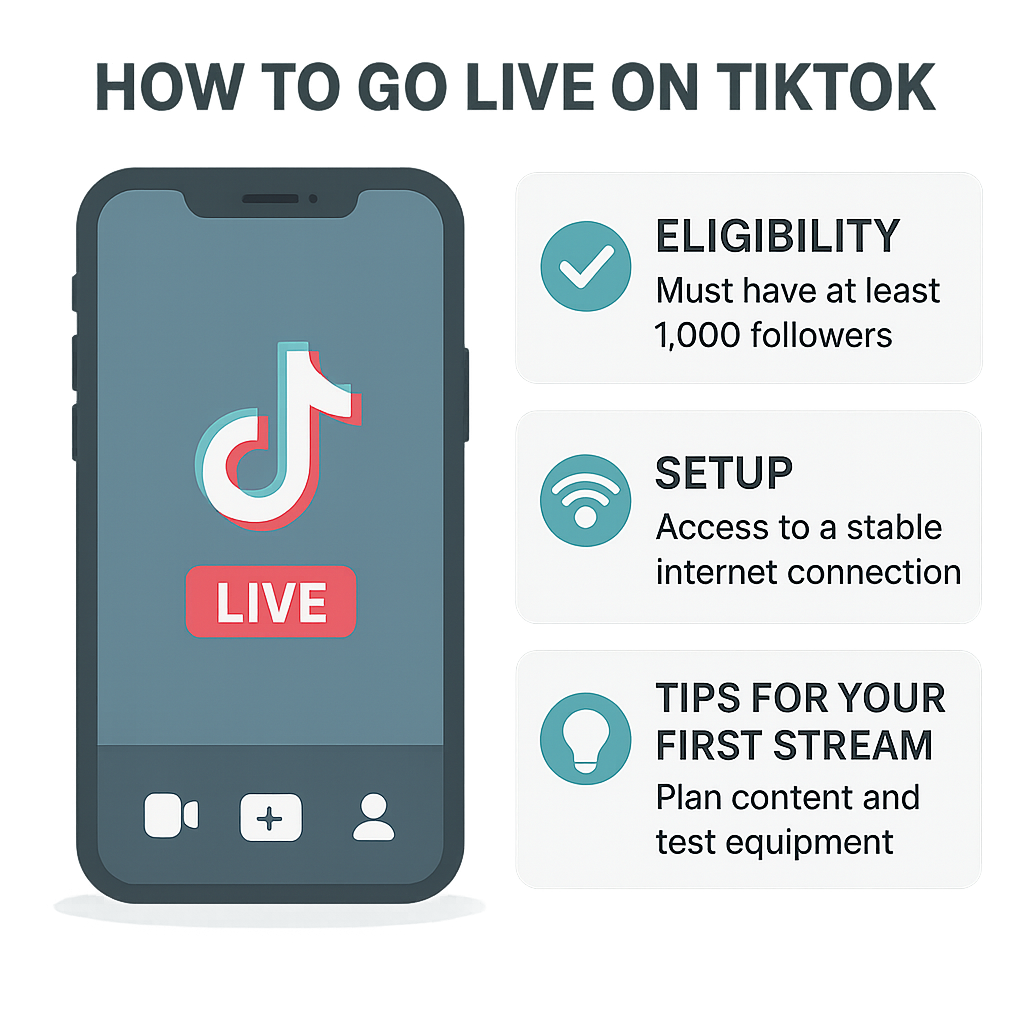
TikTok LIVE is not available to every account. TikTok generally requires creators to be at least 18 to go LIVE and to meet a minimum follower threshold determined by the region. The commonly reported threshold is 1,000 followers, but it can differ by market and account. TikTok may also restrict access for accounts that do not meet its rules or are not in good standing.
Open TikTok, tap the + button, and look for the LIVE option among the creation modes. If it is missing, do not assume a hidden setting will fix it. Check the app version, account age information, local requirements, and TikTok’s current Help Center guidance. If you believe you qualify but still cannot access LIVE, use TikTok’s in-app support process.
Do not try to fake your age, buy followers, or use someone else’s account to get around a restriction. That can create account and safety problems, and purchased followers are usually poor viewers anyway. A large number on a profile means little if nobody watches, trusts, or responds to your content.
2. Pick a focused topic and outcome
Choose one useful subject for the broadcast. Instead of a vague title such as hanging out, plan something viewers can understand quickly: a beginner drawing lesson, a five-question course Q&A, or a walkthrough of how you compare two products. Decide what success looks like. It might be answering ten questions, demonstrating a process, or finding out which lesson your audience needs next.
Write down three to five talking points. You do not need a word-for-word script, but you do need a route through the session. Prepare a short opening, the main demonstration or discussion, and a closing that tells viewers where to find the next step. If you are promoting a paid offer, explain what it includes and avoid implying guaranteed results.
3. Set up the space and equipment
A phone and a stable internet connection are enough for many first streams. Place the phone on a steady surface, face a light source, and reduce background noise. Use a microphone if your environment is loud or your phone is far away. Test the framing and audio before the broadcast; viewers will forgive a modest camera more readily than speech they cannot hear.
Keep water nearby and remove private documents or personal information from view. If you are showing a computer screen, close notifications and unrelated tabs. A tidy background does not need to look expensive. It needs to avoid distractions and protect your privacy.
4. Start the stream in the mobile app
Open TikTok and tap +. Swipe through the creation options until LIVE appears. Add a short, accurate title that tells people what the session covers. Review available settings, such as moderation options or other controls shown in your version of the app, then tap Go LIVE. TikTok’s controls and labels can vary as it updates the product.
Once live, greet people as they arrive, explain the topic, and begin rather than waiting silently for a crowd. New viewers may enter at any point, so briefly restate the subject now and then. Read comments when it makes sense, but do not let every passing remark pull the stream off course.
5. Use desktop streaming only when available
Eligible creators may be able to stream using TikTok LIVE Studio, TikTok’s desktop software, or approved third-party encoding tools. Access, operating-system support, and features can vary. Some guides describe connecting third-party software with a stream key, but stream-key access is not available to every account and TikTok can change its requirements. Use only options provided to your account through TikTok; do not trust sellers promising secret access or guaranteed approval.
Before a desktop broadcast, test the camera, microphone, screen capture, and internet connection in advance. Set scenes if you need to switch between a camera view and a presentation, and make sure you are not capturing private messages or customer details. A technically polished stream is useful only if the content is still clear.
6. Close with a clear next step
Thank viewers, answer any final questions, and restate the useful point they should remember. If the broadcast supports a course, product, or service, tell people exactly where to learn more and what they will find there. Avoid implying that a viewer must purchase immediately or that an offer will guarantee a specific result.
After ending the stream, note which questions came up repeatedly, where viewers lost interest, and what you would change. Review available analytics when TikTok provides them. One broadcast is a test, not a verdict on your ability. I would rather see a creator improve one clear session at a time than copy a schedule that burns them out.
TikTok LIVE vs. Recorded TikTok Videos
LIVE and recorded videos can support the same creator business, but they solve different problems. A recorded post is edited, repeatable, and available for people to watch later. LIVE is immediate and interactive, yet it requires the creator and audience to be present at the same time. Neither format wins in every situation.
| Consideration | TikTok LIVE | Recorded TikTok video |
|---|
| Interaction | Viewers can comment in real time, with available controls and features | Interaction happens through comments and other post features after publishing |
| Timing | Happens at a scheduled or chosen moment; viewers need to join then | Can be watched after publishing, subject to platform availability |
| Preparation | Benefits from an outline, live moderation, and a technical check | Can be edited, retaken, captioned, and trimmed before posting |
| Best use | Q&As, demonstrations, lessons, launches, and audience feedback | Discovery clips, concise explanations, evergreen tips, and polished examples |
| Eligibility | LIVE access depends on TikTok’s current age, follower, location, and account rules | Standard posting is generally available to a wider range of accounts, subject to TikTok rules |
| Monetization | Gifts and other LIVE features may be available to eligible accounts and viewers | Monetization depends on the specific program, account, region, and current rules |
| Main drawback | Requires live time; mistakes and pauses happen in public | Less immediate; creators cannot answer questions as they arise |
The strongest plan is often a combination. Publish short videos that introduce a question or demonstrate a small result, then host a LIVE session for viewers who want more detail. Afterward, turn recurring questions into new posts. This creates a content loop without pretending every broadcast will become a viral event.
For a creator selling education, a recorded clip can show one useful idea while a LIVE session handles follow-up questions. The viewer should still be able to understand the offer and its terms. If the product is paid, make the transition clear rather than disguising a sales pitch as neutral advice.
Common Mistakes to Avoid
Assuming every account qualifies. The 1,000-follower figure is common, not a universal guarantee. Age requirements, regional rules, account standing, and feature availability matter too. Check your own account and official guidance instead of relying on an old tutorial. Frankly, a guide that promises a universal threshold is skipping an important detail.
Looking for a loophole. There is no official, reliable way to bypass the follower requirement. Buying followers, borrowing an account, or entering false information can put access and account trust at risk. Grow by publishing useful posts, responding to relevant comments, and inviting interested viewers to follow. That is slower than a magic button, because there is no magic button.
Going live without a subject. Viewers need to know why they should stay. A broad promise to chat can work for a creator with a loyal community, but it is a weak starting point for a new broadcaster. Give the session a specific topic and a simple structure, then repeat the topic for people who join late.
Treating gifts as wages. Gifts are voluntary, subject to platform rules, and not a dependable revenue forecast. Do not pressure viewers, especially younger audiences, to spend. If you rely on monetization, understand the relevant eligibility requirements, fees, and payment terms before counting on the money. Make decisions based on net revenue and actual results, not a headline about a creator’s biggest day.
Ignoring moderation and privacy. Live comments can include spam, harassment, or personal information. Review the moderation tools available to you, set boundaries, and do not reveal addresses, private client data, or sensitive account details. If a guest joins, agree on the topic and expectations beforehand. Safety is part of production, not an optional extra.
Over-selling or making unsupported claims. A stream can help explain an offer, but it does not excuse inflated promises. Describe what a course or service includes, who it is for, and what outcomes are not guaranteed. If a product recommendation involves a paid relationship, follow applicable disclosure rules; the FTC’s guidance for social media influencers explains why clear disclosures matter in the United States.
Quitting after one quiet session. Attendance can vary with topic, timing, audience size, and recommendation. Evaluate a handful of attempts, not one awkward evening. Look for repeat questions, useful comments, watch time where available, and whether viewers take the next step. If streaming consistently costs more time than it returns, change the format or stop. The dignity of work includes using your time responsibly; persistence is not the same as stubbornly repeating a bad plan.
Frequently Asked Questions
How many followers do you need to go LIVE on TikTok?
The commonly cited requirement is 1,000 followers, but TikTok’s threshold can vary by region and account. You must also meet TikTok’s age requirement, generally 18 or older to host a LIVE, and comply with account rules. Check for the LIVE option in the app and consult TikTok’s current Help Center. Do not assume that reaching a particular follower count guarantees immediate access everywhere.
Can I go LIVE on TikTok without 1,000 followers?
There is no official, dependable workaround to bypass TikTok’s local eligibility rules. Some users may see different thresholds because requirements vary, and TikTok may test or change features. If LIVE does not appear, confirm your age and account details, update the app, and check official support. Avoid paying anyone who claims they can unlock LIVE for your account.
Do I have to be 18 to go LIVE on TikTok?
TikTok generally requires a creator to be at least 18 to host a LIVE. Age rules for viewing, Gifts, and other features may differ, and local law can add requirements. TikTok can ask users to verify age. Always follow the current rules shown in the app and the official Help Center rather than entering false information.
Can you make money from TikTok LIVE?
Some eligible creators may receive Gifts or access other monetization features, but availability depends on region, account eligibility, age, and TikTok’s terms. Gifts are not guaranteed income, and viewers should never be pressured to spend. Creators can also use a LIVE session to introduce an external product or service, where permitted, but should describe the offer honestly and disclose relevant commercial relationships.
Final Thought
A TikTok LIVE is useful when the live format makes the experience better for the viewer. That could mean answering a question while someone can ask a follow-up, showing a product from several angles, or teaching a skill that is hard to explain in a short clip. If the only reason to broadcast is that a growth guru said you must, pause and rethink the plan.
Start with a topic you can explain well, a modest setup, and a firm boundary around how much time you will spend. Tell viewers what the session covers, keep the claims honest, and offer a next step that genuinely fits their needs. If you are building a course or service business, LIVE can support the work, but it cannot replace a useful offer, fair pricing, sound customer care, or a way to reach people beyond one platform.
The practical standard is simple: did the stream help someone understand, decide, or do something? If yes, record what worked and improve the next one. If not, change the subject, format, or schedule before committing more hours. A real audience is built through repeated value and trustworthy conduct—not tricks, inflated numbers, or pressure to buy. That is less flashy than a shortcut, and much more likely to last.
Sources